Adventure Drivers: land the jump, then win the race
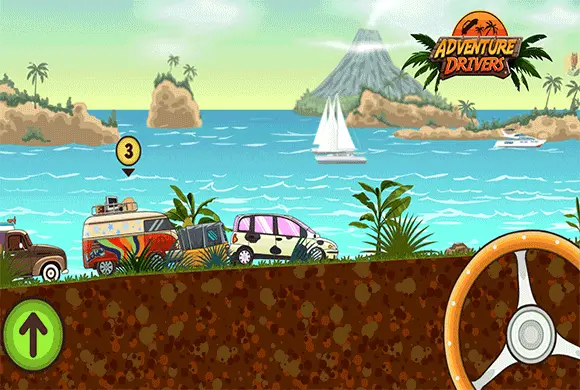
Adventure Drivers is a side-scrolling racing game that mixes tropical tracks with stunts and combat. The road carries you through jumps and loops while rival cars compete for the same finish line. Winning means finishing first, so a spectacular flip is useful only if it helps you return to the race in control.
Several systems compete for your attention: the angle of the car, the nitro supply and the items collected along the route. The best place to start is the landing. Once you can bring the wheels back toward the track consistently, boosts and weapons become deliberate ways to gain ground rather than distractions from the next obstacle.
Controls
Use A/D or the left/right arrow keys to balance the car and rotate during jumps. Press Shift for nitro. Use Space or Enter to activate a collected weapon.
Plan the landing before committing to a flip
Use the balance controls to adjust the car in the air. A jump offers a chance to rotate, but it also leaves you responsible for the angle at touchdown. As you approach the track again, prioritize a stable landing over squeezing in another turn.
Overturning costs time while opponents continue forward. If a jump repeatedly ends badly, simplify the attempt: make a smaller adjustment and concentrate on meeting the ground cleanly. The useful comparison is the position you hold after landing, not how dramatic the stunt looked in midair.
Spend nitro where you can use the speed
Shift activates the nitro boost. The supply recovers over time, and successful flips speed up that recharge. This connects stunts with racing pace, but it does not make every jump worth a risky rotation.
Look for a stretch where the car is settled before spending the boost. Extra speed is less helpful when you are still correcting a poor landing. If you have just completed a successful flip, recheck your position and the road ahead before using the recovered supply; the boost is another decision, not an automatic follow-up.
Turn track items into an advantage
Item crates provide tools such as weapons, shields and boosts. Weapons include missiles and mines. Once you have collected an item, pay attention to the nearby racers and what that item is intended to do before activating it.
Combat works alongside driving rather than replacing it. An attack that disrupts a rival is useful, but losing control of your own car can give the gained position straight back. On a busy section, settle the car first and use the item when you can keep reading the track.
Use the garage to address a racing weakness
Coins let you improve cars and unlock additional vehicles. Upgrades cover speed, handling and nitro. Think about where a race is being lost before choosing an improvement: struggling to control landings presents a different problem from failing to keep pace on a clear stretch.
An upgrade can support your approach, but repeatable driving still matters. Work on one difficult section at a time, then add more ambitious flips or more aggressive item use once you can get through it without surrendering your position.
This guide is based on the supplied game instructions.
Questions about Adventure Drivers
Do flips have a purpose beyond the stunt?
Yes. Successful flips accelerate nitro recovery. Balance that benefit against the risk of overturning and losing time on the landing.
Which key activates a weapon?
Press Space or Enter to activate a collected weapon. Use the key after collecting an item and keep watching the road while activating it.
What should I improve first if I keep falling behind?
First check whether you are losing time through unstable landings. Practice bringing the wheels toward the track before adding more flips. If control is consistent, then compare your use of nitro, items and available garage upgrades.
Something not working?
Tell us the game name, your device and what happened at lucas@megaplaygame.com.