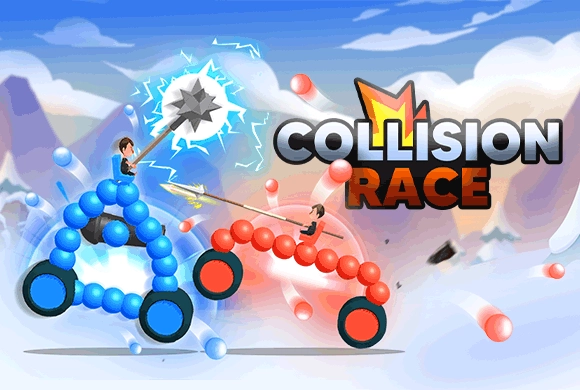
Collision Race: spend the ink on a stable fighting shape
Your drawn line becomes the vehicle body, so ink is both a size limit and a design constraint. The collision tests whether that shape protects the driver and stays stable. After a failed attempt, distinguish tipping backward from losing the front before deciding what to redraw.
Controls
Draw: Tap and drag your finger on the screen to draw the body of your vehicle. Delete/Undo: Tap the red trash can icon to clear your drawing and start over. Play: Tap the "Play" button to start the collision simulation.
Spend the ink on a stable fighting shape
Draw Your Car. At the start of a level, you will see a driver and some wheels. Use your finger to draw a line connecting them. The blue line you draw will become the body of your car, made of blue spheres. Be mindful of the "Ink" meter; you can only draw until it runs out.
Consider Physics. Think about stability. A tall car might tip over easily, while a heavy front might crush the opponent. Make sure to protect your driver!
Fight! Tap the "Play" button. Your car and the enemy's car will accelerate towards each other. They will collide, and the goal is to knock the enemy driver off or destroy their car before yours falls apart.
Upgrade. If you win, you get coins. If you lose (like when your car falls backwards), rethink your design! Use coins to upgrade "Ink" (to draw bigger cars), "Speed" (for harder hits), or "HP" (to withstand more damage).
DIY Drawing Mechanic
Freely design the shape of your battle car using ink lines.
Physics-Based Combat and Upgrade System
Weight distribution and shape directly affect the collision outcome.
Improve your Ink volume, Speed, and HP to build stronger vehicles.
Equip spears, cannons, and other weapons to gain a tactical advantage.
Create a vehicle that survives the collision and defeats the opposing vehicle or driver
Keep the driver protected without making the design so tall that it tips easily. Observe how the vehicle fails before changing the drawing or buying an upgrade.
A taller body can be less stable even when it looks more protective. Using all the ink does not guarantee a useful distribution of weight.
This guide is based on the supplied game instructions.
Questions about Collision Race
How do I draw bigger cars?
You need to upgrade your "Ink" volume. Spend the coins you earn from winning battles on the "Ink" upgrade button at the bottom of the screen.
Can I change my weapon?
Yes, as you progress, you will see different weapons available for your driver, such as cannons or longer spears, which require different car designs to be effective.
Something not working?
Tell us the game name, your device and what happened at lucas@megaplaygame.com.