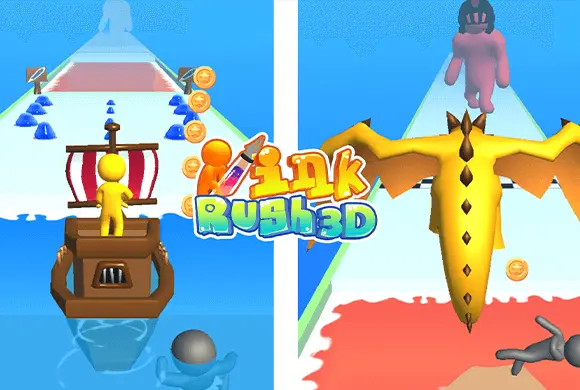
Ink Rush: gather the ink you will need at the drawing board
The ink you gather is a resource for the next obstacle, not merely a collectible. The game alternates between steering, tracing and fighting, so pay attention when a new phase replaces the previous control scheme.
Controls
Swipe/Drag: Swipe left or right on the screen to move your character sideways to collect ink drops. Drag your finger to trace the outlines on the drawing board. Hold and swipe repeatedly to attack the boss at the end.
Gather the ink you will need at the drawing board
Playing Ink Rush is a delightful mix of running, drawing, and fighting. When the level starts, your character will automatically run forward. Your first objective is to gather ink. Move your character left and right to collect the blue ink drops scattered across the track. You can also tap the screen rapidly to boost your running speed, allowing you to breeze past simple obstacles. As you progress, you will encounter sections that cannot be crossed on foot, such as a wide stretch of water.
The game will pause and present you with a drawing board. Here, you must use the ink you've collected to trace the outline of a vehicle, like a ship. If you have enough ink and draw accurately within the time limit, your character will jump into the newly created vehicle to cross the hazard, collecting coins and knocking away red enemies along the way. If you make a mistake while drawing, you can use the eraser tool to fix it.
The final challenge awaits at the end of the track. You will face a giant boss, like an armored warrior. The game switches to combat mode. Hold and swipe continuously on the screen to unleash a flurry of attacks from your giant pen to defeat the boss. Defeating the boss grants you a chest full of bonus coins. Between levels, don't forget to use your hard-earned coins to purchase upgrades at the start line, ensuring you can hold more ink and deal more damage in the next run!
Creative Drawing Mechanic
Use collected ink to draw specific vehicles like boats to overcome unique environmental water obstacles.
Epic Boss Fights and Rich Upgrade System
Reach the end of the level and engage in thrilling swipe-based combat against giant enemy bosses like Spartans.
Spend earned coins to upgrade your pen capacity, ink quality, and overall coin gain for better performance.
Navigate through diverse tracks filled with traps, enemies, and varying terrains that require quick reflexes.
Gather enough ink to cross the drawing obstacles and defeat the boss at the end of the track
Prioritize reachable blue ink before a drawing section so the outline can be completed. During drawing, follow the required outline and use the eraser for a mistake instead of adding unrelated lines. When the boss phase begins, switch from sideways steering to the repeated attack swipes the phase requires.
A drawing can fail because there is too little ink or because the traced shape is inaccurate. Continuing to use only the running input will not perform the boss phase's repeated attacks.
This guide is based on the supplied game instructions.
Questions about Ink Rush
How do I beat the final boss?
When you reach the boss, you need to quickly hold and swipe the screen. Keep swiping continuously to deal massive damage until the boss's health is depleted.
What should I upgrade first?
It's highly recommended to upgrade the "Pen capacity upgrade" first. This ensures you can carry enough ink to successfully draw the large vehicles needed to pass water obstacles.
Something not working?
Tell us the game name, your device and what happened at lucas@megaplaygame.com.


