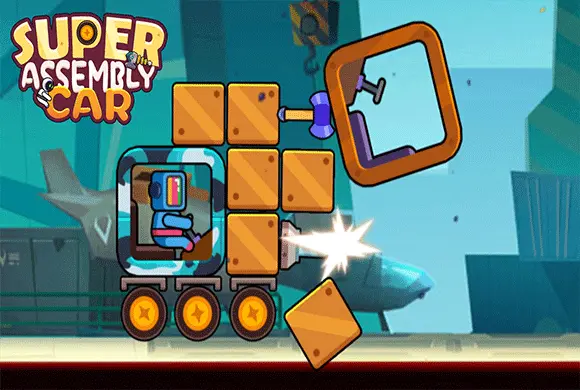
Super Assembly Car: build around the core, then let the machines fight
The assembly grid is where you control the outcome; the fight itself is automatic. The core needs protection, while weapons need a position from which they can affect the opponent. Watch which part fails first and change one part of the design before judging a new build.
Controls
Assembly: Tap, hold, and drag parts from the inventory onto the grid to build your car. Tap parts on the grid to rotate or remove them. Battle: Tap the "FIGHT" button; the combat is automatic.
Build around the core, then let the machines fight
The game is divided into two main phases: the Assembly Phase and the Battle Phase. In the Assembly Phase, you will see a square grid in the center of the screen, representing your vehicle's blueprint. Below the grid, there is an inventory of available parts, such as a core block, weapons (like drills or blasters), and wheels. To build your car, tap and hold a part from the inventory, then drag it onto the grid.
The core block is the heart of your car; if it gets destroyed, you lose. Connect weapons and armor to the core to protect it and deal damage. You can arrange the pieces in any configuration you want! Once you are satisfied with your design, tap the "FIGHT" button at the bottom of the screen. This initiates the Battle Phase. The game switches to an arena view where your assembled car automatically charges at the enemy's car.
The two vehicles will clash and trade damage based on their stats and weapon placements. A health bar at the bottom tracks the fight. If your car destroys the enemy's core first, you win! After winning, you will receive coins. You can use these coins in the Assembly menu to buy new parts or evolve existing ones to increase their ATK and HP, preparing you for the next, more difficult level.
Creative Car Building
Use a grid system to drag and drop different parts, allowing you to design and construct a vehicle in any shape you like.
Auto-Battle Arena and Component Evolution
Watch your custom creation come to life and automatically fight against enemy vehicles in exciting 1v1 clashes.
Spend earned coins to upgrade your parts, boosting their Attack (ATK) and Health (HP) for tougher battles.
Experiment with various weapon placements and defensive structures to find the ultimate winning design.
Build a vehicle that destroys the opposing core before its own core is lost
Protect the core before adding another exposed weapon. Watch where the design takes damage and revise that area before the next battle.
Adding attack parts while leaving the core exposed can create a fragile build. Changing the whole vehicle at once makes the cause of an improvement harder to identify.
This guide is based on the supplied game instructions.
Questions about Super Assembly Car
Why did my car lose the battle?
You lose if your core block is destroyed before the enemy's. Try rearranging your parts to better protect the core or place your weapons closer to the front.
How do I make my car stronger?
Win battles to earn coins, then use those coins to unlock new parts or use the "Evolution" feature to upgrade the HP and ATK of your current components.
Can I change my car's design after a battle?
Yes! Before every new fight, you return to the assembly grid where you can completely redesign your vehicle or add newly purchased parts.
Something not working?
Tell us the game name, your device and what happened at lucas@megaplaygame.com.